
Android流式布局如何实现历史搜索记录
Android流式布局实现历史搜索记录
在Android开发中,实现历史搜索记录的流式布局是一种常见的需求。流式布局能够根据内容自动换行,使得搜索记录的展示更加整洁和美观。以下是整理的实现步骤和代码示例。
实现步骤
1. 准备工作
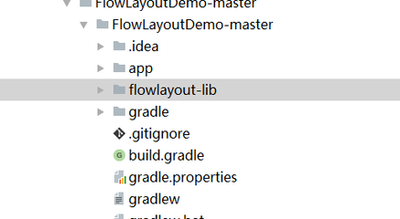
首先,在Android Studio中创建一个新的工程项目。然后,导入必要的库。在这个例子中,我们将使用TagFlowLayout来实现流式布局。你可以从GitHub上获取项目的完整代码。
2. XML布局文件
在activity_main.xml文件中,定义流式布局和其他必要的UI组件。例如,你需要一个TagFlowLayout用于展示搜索记录,一个EditText用于输入搜索关键字,以及一个Button用于触发搜索操作。
```xml
<EditText
    android:id="@+id/edt"
    android:layout_width="match_parent"
    android:layout_height="wrap_content"
    android:hint="请输入搜索关键字" />

<Button
    android:id="@+id/btn"
    android:layout_width="wrap_content"
    android:layout_height="wrap_content"
    android:text="搜索" />

<com.example.flowlayout.TagFlowLayout
    android:id="@+id/id_flowlayout"
    android:layout_width="match_parent"
    android:layout_height="wrap_content" />
```
3. Java代码实现
在MainActivity.java中,编写代码来处理搜索操作和更新UI。你需要一个Handler来处理UI更新的消息,一个List来存储搜索关键字,以及一个LayoutInflater来创建流式布局的子布局。
```java
public class MainActivity extends AppCompatActivity {
private TagFlowLayout mFlowLayout;
private EditText editText;
private Button button;
private List
@Override
protected void onCreate(Bundle savedInstanceState) {
    super.onCreate(savedInstanceState);
    setContentView(R.layout.activity_main);

    mInflater = LayoutInflater.from(this);
    mFlowLayout = findViewById(R.id.id_flowlayout);
    editText = findViewById(R.id.edt);
    button = findViewById(R.id.btn);
    strings = new ArrayList<>();

    button.setOnClickListener(new View.OnClickListener() {
        @Override
        public void onClick(View v) {
            String aa = editText.getText().toString().trim();
            strings.add(aa);
            handler.sendEmptyMessageDelayed(1, 0);
        }
    });

    mFlowLayout.setOnTagClickListener(new TagFlowLayout.OnTagClickListener() {
        @Override
        public boolean onTagClick(View view, int position, FlowLayout parent) {
            Toast.makeText(MainActivity.this, ((TextView) view).getText(), Toast.LENGTH_SHORT).show();
            return true;
        }
    });

    Handler handler = new Handler() {
        @Override
        public void handleMessage(Message msg) {
            super.handleMessage(msg);
            if (msg.what == 1) {
                mFlowLayout.setAdapter(new TagAdapter<>(strings) {
                    @Override
                    public View getView(FlowLayout parent, int position, String s) {
                        TextView tv = (TextView) mInflater.inflate(R.layout.tv, mFlowLayout, false);
                        tv.setText(s);
                        return tv;
                    }
                });
            }
        }
    };
}
} ```
4. 自定义TagFlowLayout
为了实现流式布局的效果,你需要自定义一个TagFlowLayout。这个类应该继承自FlowLayout,并重写onMeasure和onLayout方法来计算子视图的位置和大小。
```java public class TagFlowLayout extends FlowLayout { public TagFlowLayout(Context context) { super(context); }
@Override
protected void onMeasure(int widthMeasureSpec, int heightMeasureSpec) {
    super.onMeasure(widthMeasureSpec, heightMeasureSpec);
    // 自定义测量逻辑
}

@Override
protected void onLayout(boolean changed, int l, int t, int r, int b) {
    super.onLayout(changed, l, t, r, b);
    // 自定义布局逻辑
}
} ```
以上步骤提供了一个基本的实现框架,你可以根据自己的需求进行扩展和优化。例如,你可以添加删除搜索记录的功能,或者使用数据库来持久化搜索历史。此外,你还可以参考其他开发者的工作,比如在CSDN上有一些关于Android流式布局实现历史搜索记录的讨论和代码示例。